Questions, plans and handoffs
The windows where Octo asks you to answer, review a plan or switch agents before it continues.
Besides approvals, Octo can pause the chat for three other reasons. Each one opens a window that you must answer before the run continues.
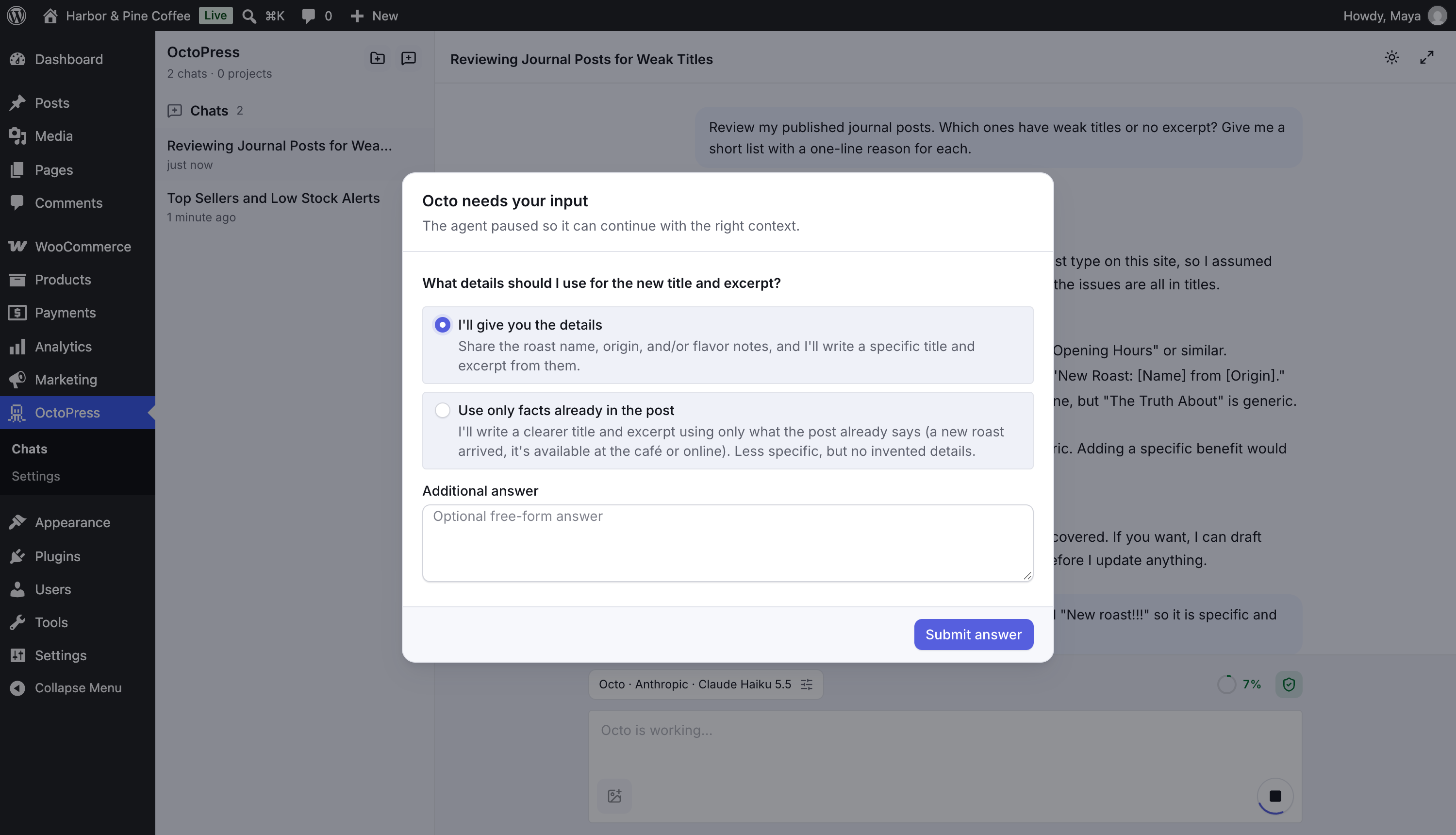
Questions: "Octo needs your input"#
When a request is ambiguous Octo asks instead of guessing. The window says "The agent paused so it can continue with the right context."
- Pick one of the options. Each option has a short description.
- Add detail in Additional answer if none fits.
- Click Submit answer.
If there are several questions they appear in one window, numbered.
Plans: "Review plan"#
For multi-step work, mainly with the Pro Development Planner and Builder agents, Octo shows a plan first: "Octo paused before continuing with this implementation."
The window lists a Title, a Summary, numbered Steps, Risks and Open questions.
- Approve plan lets Octo continue.
- Request revision opens a Revision feedback box. Say what to change, then click Send revision request.
Handoffs: "Switch agent?"#
An agent can suggest that another agent is better for the next part of the work, for example from Octo to Content Writer. The window says which agent recommends which, and gives a Reason.
You can change the Agent, Provider and Model, and edit the Message for next agent.
- Switch agent moves the chat to the new agent and continues. The chat's selected agent, provider and model are updated.
- Stay here declines and keeps the current agent.
Agents can only suggest the agents listed as handoff targets in their agent settings.
Built-ins can suggest any other enabled, available built-in. Free installations expose only their available agents. The next-agent message should contain the goal, completed work, relevant IDs, outstanding approvals and next task, not full records. A handoff never grants permissions, bypasses approvals or proves a task complete. Small supported steps stay with the current agent rather than bouncing between profiles.
Good to know#
- These windows cannot be closed with Esc or a click outside. Answer them, or click Stop in the chat.
- If you leave the page, the window returns when you open the chat again.
- If the tab is in the background, its title starts with (Action needed).