
Usage and context
Read the context ring and the usage panel to see how much of the model's window a chat uses, and what tokens were spent.
Next to the model button above the message box there is a small ring with a percentage. It shows how full the model's context window is for this chat. Click it to open the usage panel.
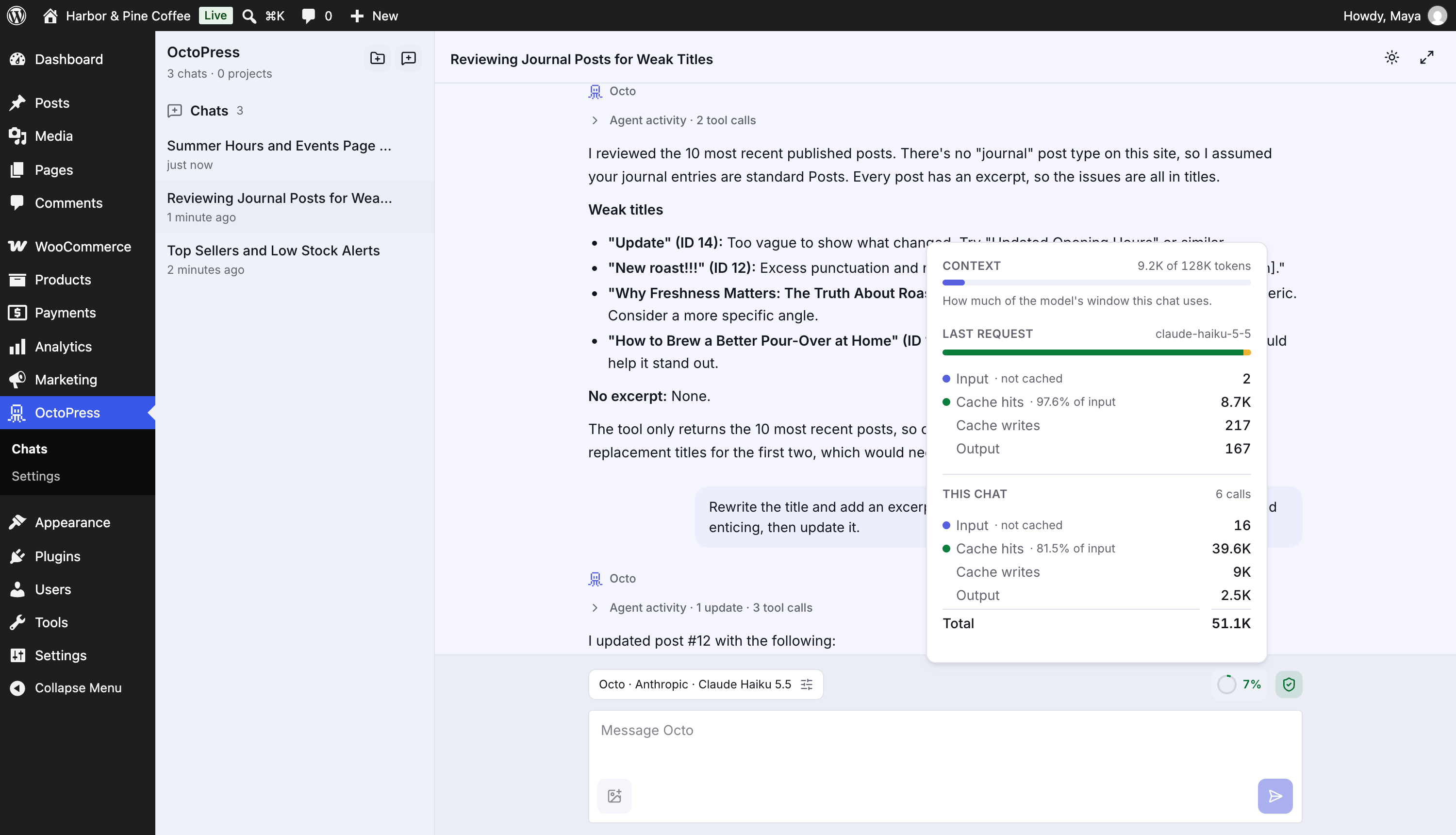
The ring#
| Color | Meaning |
|---|---|
| Green | Below 70% of the window |
| Amber | 70% to 89%: the chat is getting long |
| Red | 90% or more: close to the model's limit |
-- |
Not measured yet (no message sent) |
Context is the conversation history and tool results the model can still see. When a chat gets close to the limit, OctoPress summarizes older messages to make room, and the number drops. The panel tells you how many times that happened.
The usage panel#
- Context: tokens used out of the model's window, for example
4 of 272K tokens. This figure follows the conversation; the actual request is larger because it also carries instructions and tool definitions. - Last request: the model used and the tokens for the most recent call:
- Input · not cached: new input tokens.
- Cache hits: input the provider served from its cache, with the percentage of input.
- Cache writes: shown when the provider reported them.
- Output: tokens generated, including reasoning tokens when the model reports them.
- This chat: the same breakdown for all calls in the chat, plus a total. If summaries were created, the panel notes how many summary calls are included.
Before the first message the panel says Token usage and cache hits appear here after the first message. Calls made before detailed tracking existed are noted but not counted.
These are token counts, not a bill. What a token costs, what your subscription includes and what counts as cached are set by your provider. For Anthropic, OctoPress adds prompt-cache markers automatically, which can lower the cost of repeated input in long chats.
Tips#
- Start a new chat for a new topic. Long chats cost more and are less focused.
- Put recurring instructions in a project or the system prompt instead of repeating them.
- If the ring is red and answers get worse, start a new chat and paste in a short summary.